CAFM, CMMS & asset management software:
See every asset.
Prevent costly surprises.
GeoWorks is CAFM and maintenance management software for multi-site operators. One clear view of every asset, fault, job and contractor, from the first report to the final invoice.
Station faults, planned maintenance and contractors for a national rail operator.
Reactive and planned works across a national hospitality estate.
Inspections, electrical testing and fault repair for highway networks.
From a single building to a national estate, configured to fit.
Built for estates that can’t afford to stop.
From a single building to a national network, GeoWorks is configured to your assets, sites and workflows rather than forcing you onto someone else’s.
Triage. Fix. Prove.
One configurable pipeline from the first report to the final sign-off. Rename stages, add approval gates and design it around your operation during onboarding.
- Triage
Accept the request
Tag the site, location, assets and criticality, or reject it with a reason.
- Raise
Raise the job
Set supplier, priority, service and cost centre. Attach photos and documents.
- Schedule
Plan the visit
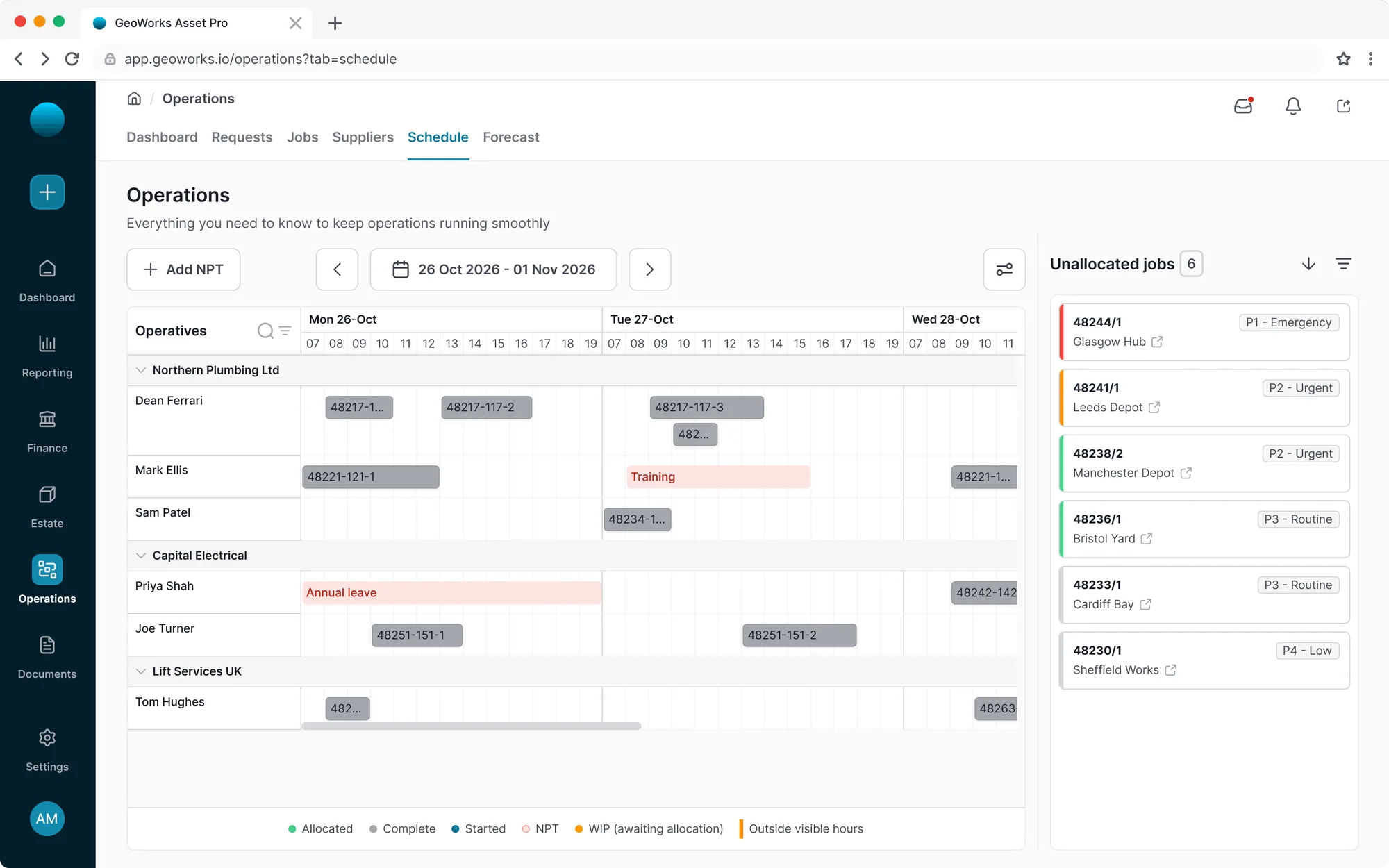
Assign the operative and start date on the visual resource planner.
- Work
Do the work
Risk assessed, completed and signed off by the customer on mobile, even offline.
- Payment
Apply for payment
The supplier applies; finance audits it against the ONTE budget.
- Close
Close with proof
Invoiced, with the full audit trail attached to the asset.
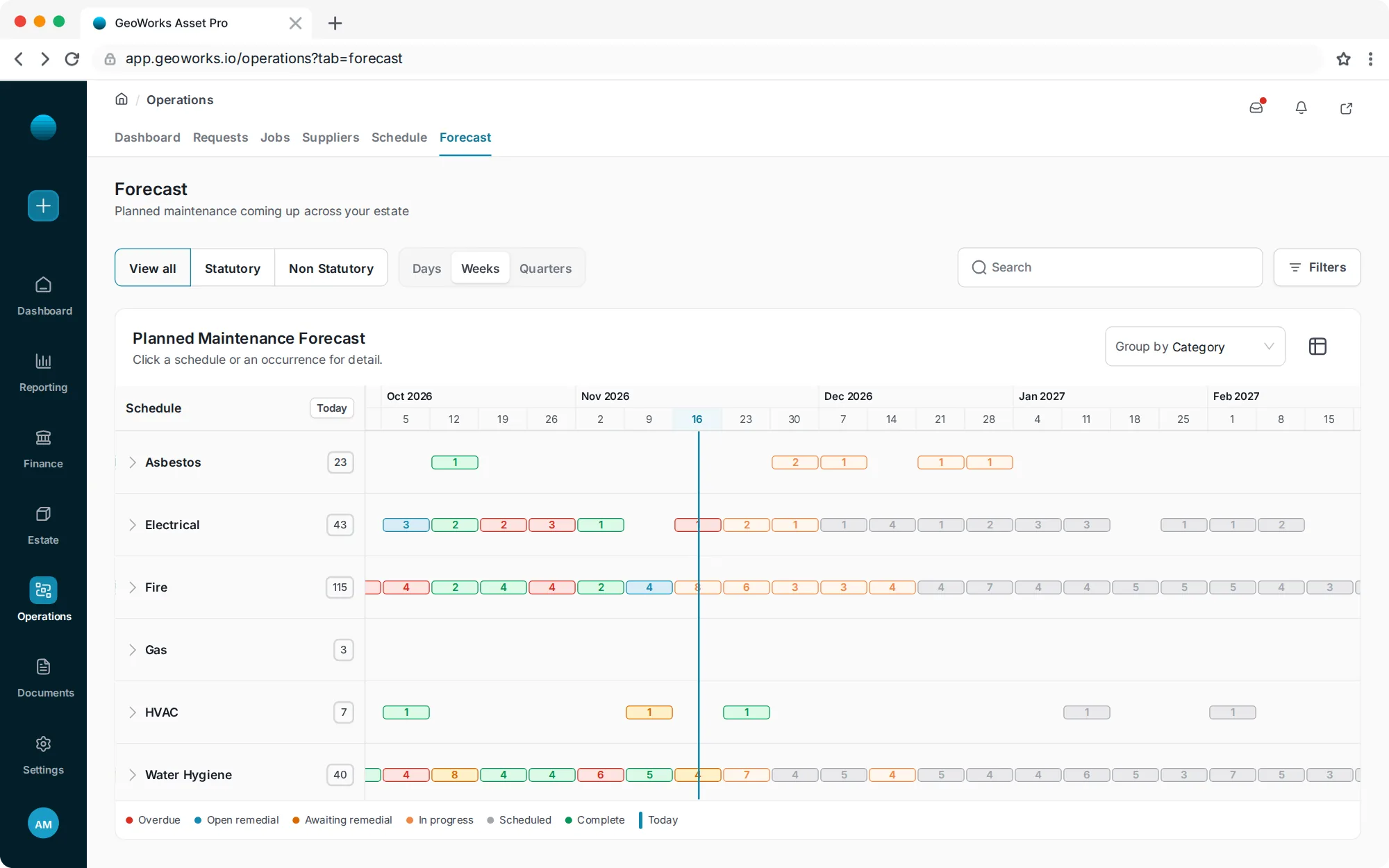
Planned maintenance runs the same pipeline automatically. Schedules release on a calendar or a custom period, such as rail periods, and go straight to the preferred supplier at each site.
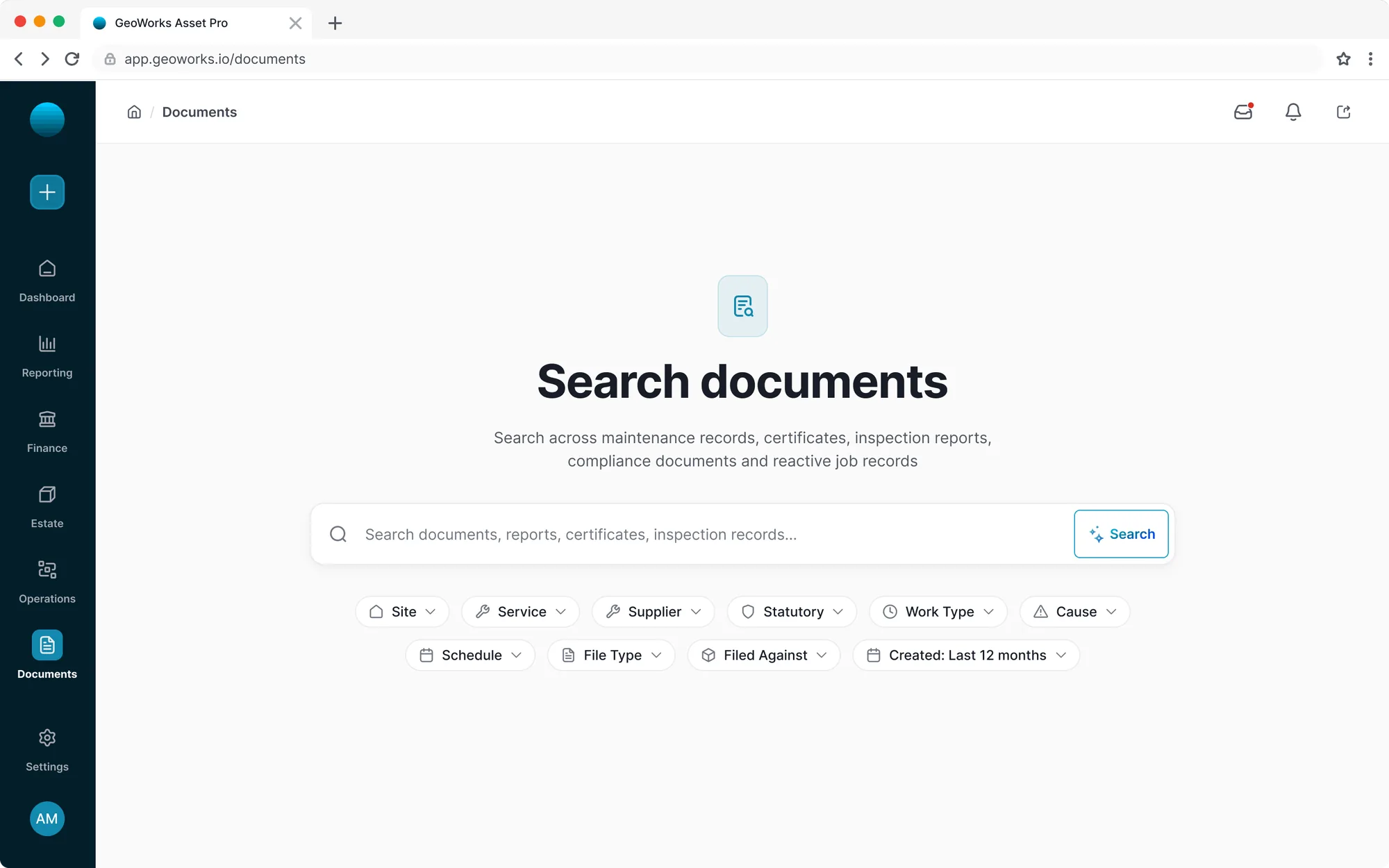
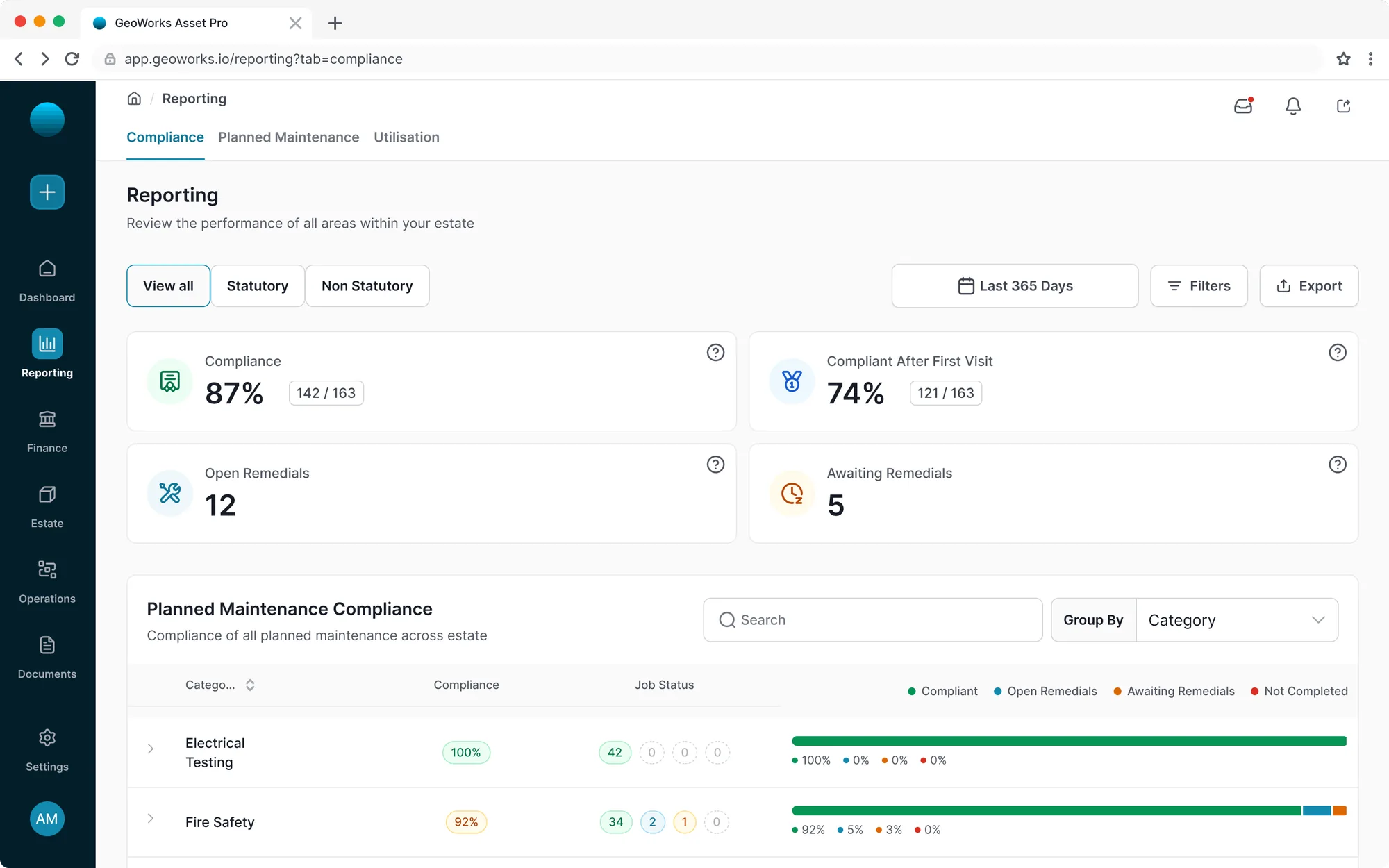
See GeoWorks, screen by screen.
The real app, shown with sample data. Pick a screen, or let the tour play.
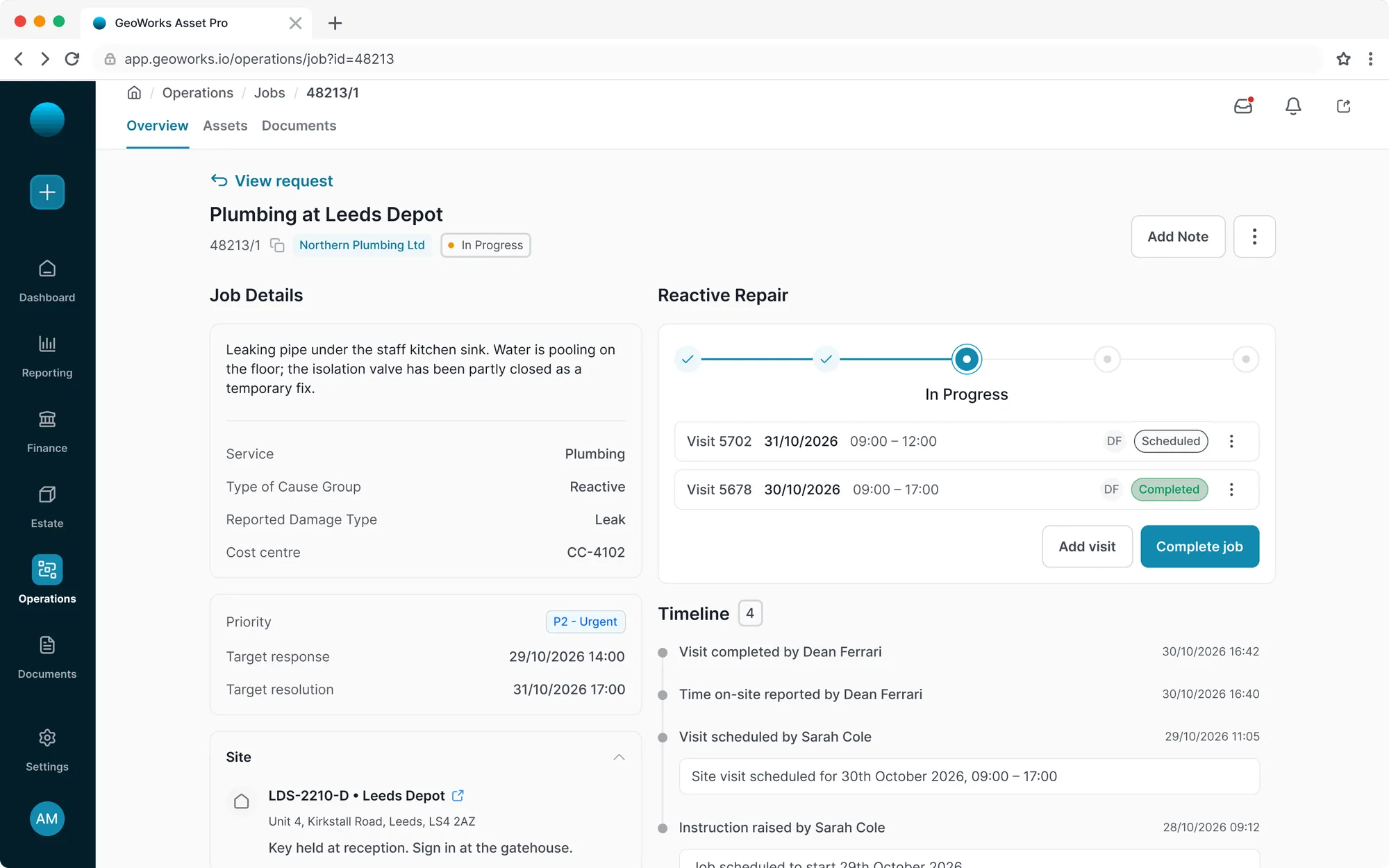
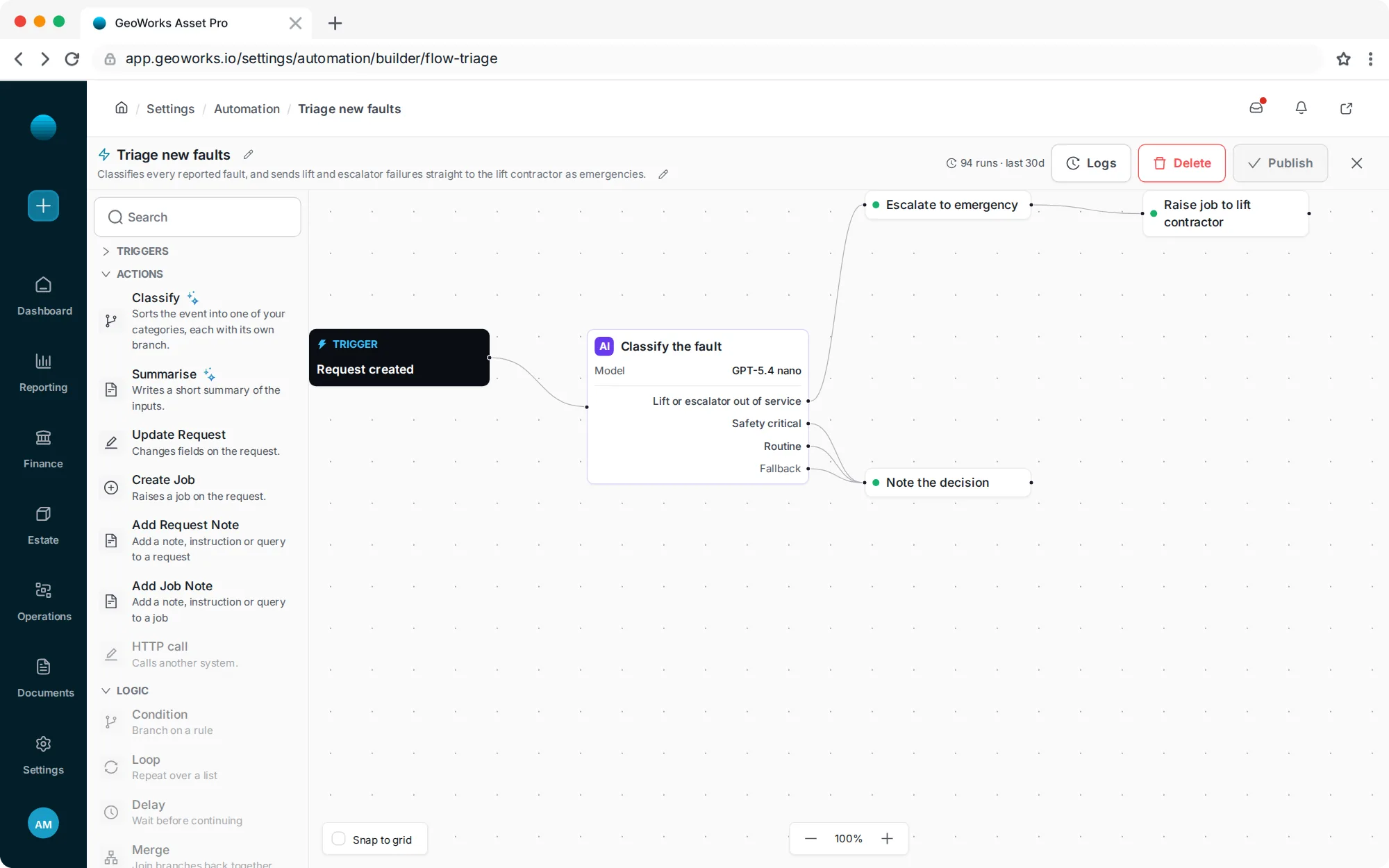
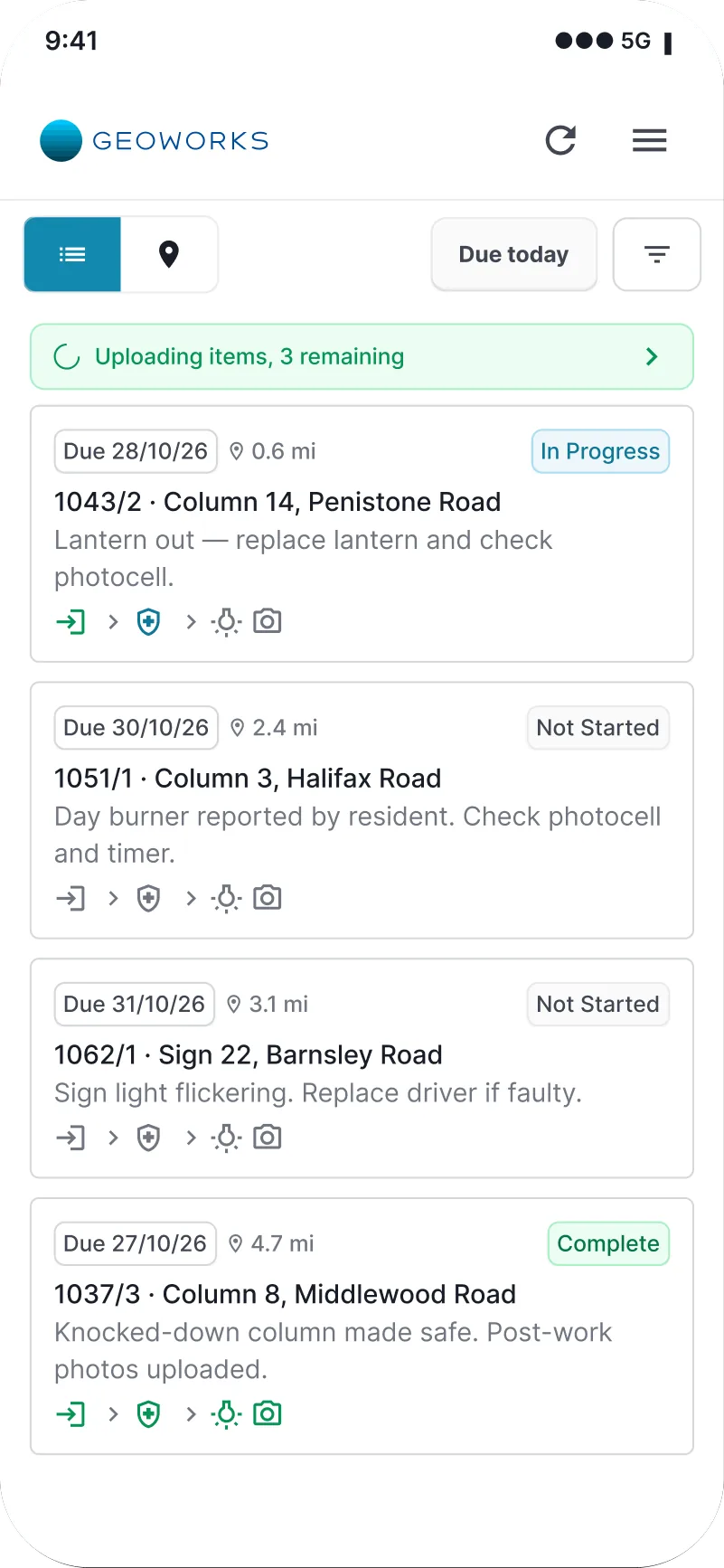
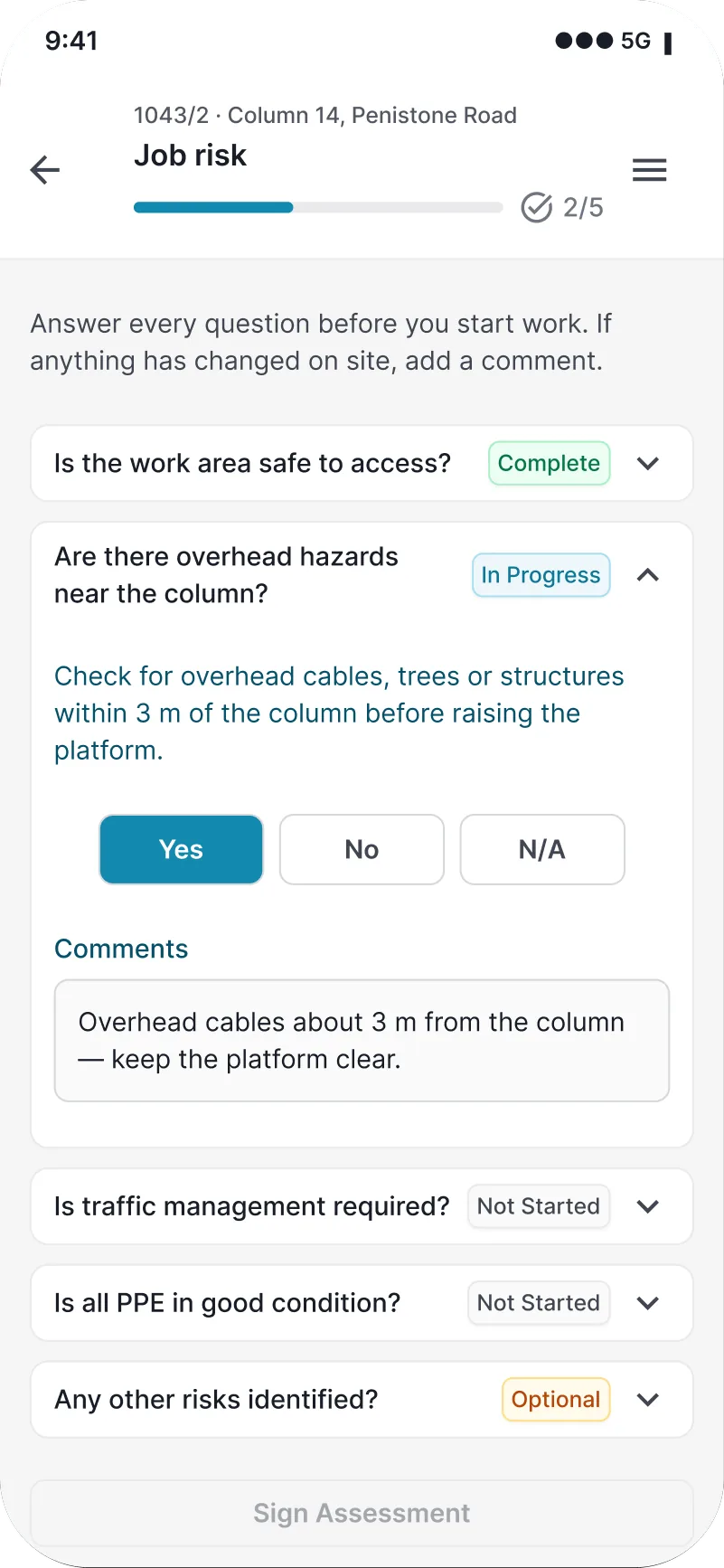
Keeps working when the signal drops.
Built for real site conditions like basements, plant rooms and rail environments, and syncs automatically when the signal returns.
Risk assessments
Safety checks happen before work starts.
Photo evidence
Before and after photos on the job record.
Service notes
Work done, time on site and materials used.
Customer sign-off
Approval on site before the job closes.
See GeoWorks on your estate.
Tell us about your sites, assets and contractors. We’ll show you GeoWorks configured the way you work, and the pipeline we’d build with you during onboarding.
Prefer email? sales@geoworks.io
Thanks. Request received.
We’ll reply to you within one working day to find a time for your demo.
- We get in touchFrom sales@geoworks.io, to arrange a time that suits you.
- A 30-minute demoGeoWorks set up around your sites, assets and contractors.
- Your onboarding planThe pipeline we’d build with you, if GeoWorks is a fit.