Work order management software: Every job, from first report to final invoice.
Reactive repairs and planned maintenance in one pipeline. Each work order carries its site, assets, priority, SLA, supplier, visits, evidence and cost, so everyone works from the same record.
- Fault reportedTicket gate 4 won’t openPlatform 2 · fault reporting form
- Request triagedAccepted as P1 EmergencySite, location and asset tagged
- Job raisedJob 334231/1Preferred supplier · SLA clock running
- Visit plannedTue 09:00 · Sam TaylorBooked on the resource planner
- Work evidenced4 photos · tests passedCustomer signed off on mobile
- Applied and paid£480 · auditedChecked against the ONTE budget
Six stages. No gaps between them.
Most work order problems happen between systems: the fault in an inbox, the job in a spreadsheet, the evidence on paper. In GeoWorks each stage hands straight to the next.
- Request
Reported once
By phone, email or the branded fault reporting form, tagged with the site, location, assets and criticality. Helpdesk
- Triage
Accepted or automated
The helpdesk accepts, rejects or merges, or workflow automation raises routine jobs on its own.
- Assign
Preferred supplier
The job goes to the preferred supplier for that site and service, with priority, SLA and photos.
- Schedule
Visit planned
The supplier books an operative on the visual planner. Jobs without a visit stand out.
- Complete
Evidenced on site
Risk assessment, before and after photos, tests and customer sign-off in the offline app.
- Pay
Costed and audited
The job joins the supplier’s application for payment and finance audits it against budget.
Book the visit. Close the job.
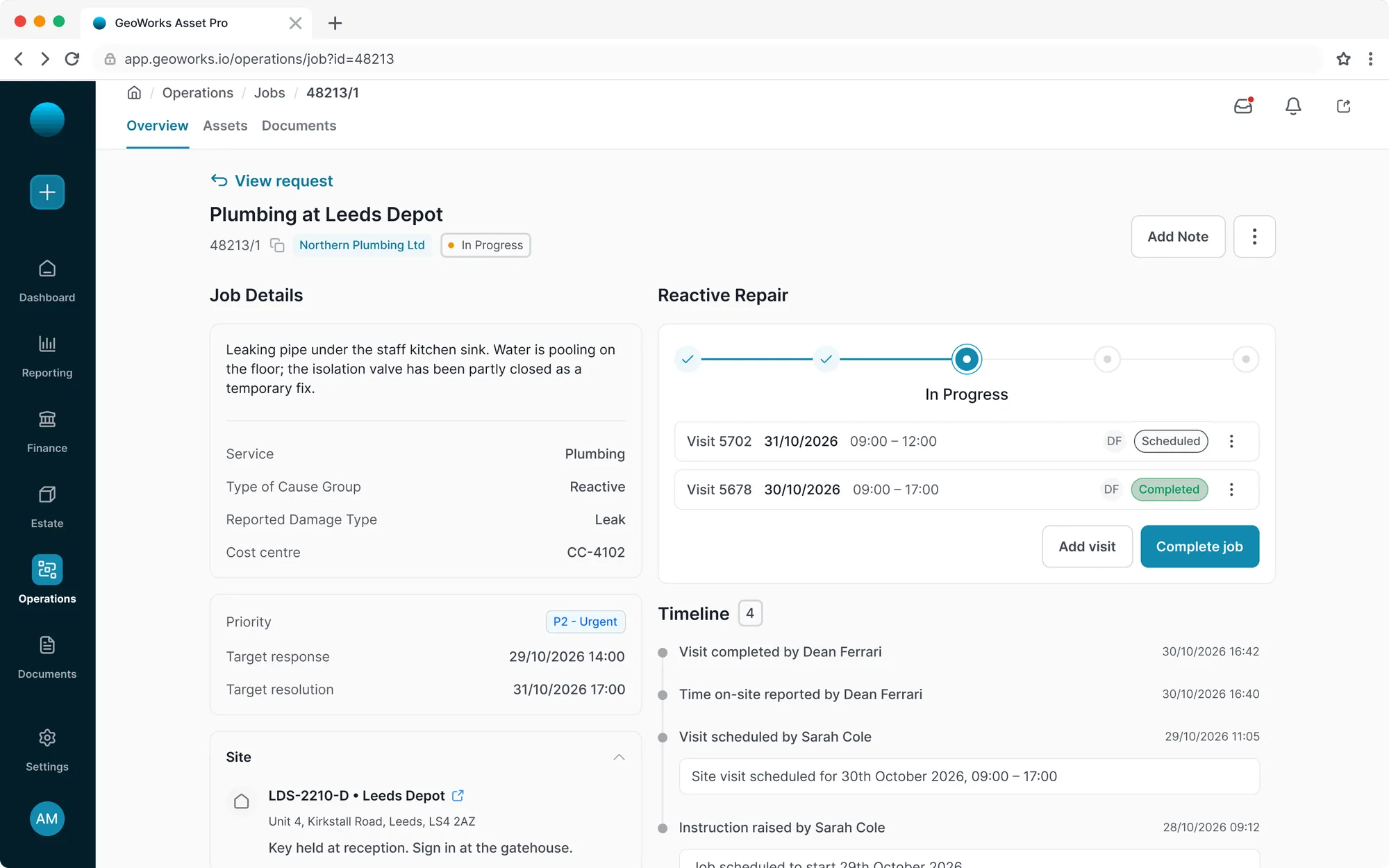
Job · interactive demo · sample data · Add a visit by dragging across an operative’s time, then complete the job · open on a larger screen to try it
Everything about the job, in one place.
Nobody has to ask what happened. It’s on the job.
Priority and SLA
Response and completion targets per priority, with breaches visible while you can still act.
Site, location and assets
Linked to the asset register, so every repair builds the asset’s history.
Supplier and visits
Who holds the job, every visit booked against it and the operatives who attended.
Evidence
Risk assessments, photos, test results and sign-off captured on site.
Cost
ONTE limits, quotes and part payments, so maintenance spend is controlled before it’s committed.
Timeline and documents
Every change, note and document in order, for the helpdesk, the supplier and the client.
See GeoWorks on your estate.
Tell us about your sites, assets and contractors. We’ll show you GeoWorks configured the way you work, and the pipeline we’d build with you during onboarding.
Prefer email? sales@geoworks.io
Thanks. Request received.
We’ll reply to you within one working day to find a time for your demo.
- We get in touchFrom sales@geoworks.io, to arrange a time that suits you.
- A 30-minute demoGeoWorks set up around your sites, assets and contractors.
- Your onboarding planThe pipeline we’d build with you, if GeoWorks is a fit.