CAFM software: CAFM software that runs the whole estate, not just the work orders.
GeoWorks is computer-aided facilities management for organisations with many sites. Helpdesk, reactive and planned maintenance, statutory compliance, contractors, costs and reporting, on one platform your contractors use too.
Everything facilities needs. One record of it.
Most estates run on a helpdesk tool, a PPM spreadsheet, contractor emails and a finance system that never quite agree. GeoWorks replaces the gaps with one pipeline.
- Helpdesk
Fault reporting & helpdesk
Phone, email and a branded public form, all landing in one triaged queue.
- PPM
Planned maintenance
Schedules against sites, locations or assets that release and assign themselves.
- Compliance
Statutory compliance
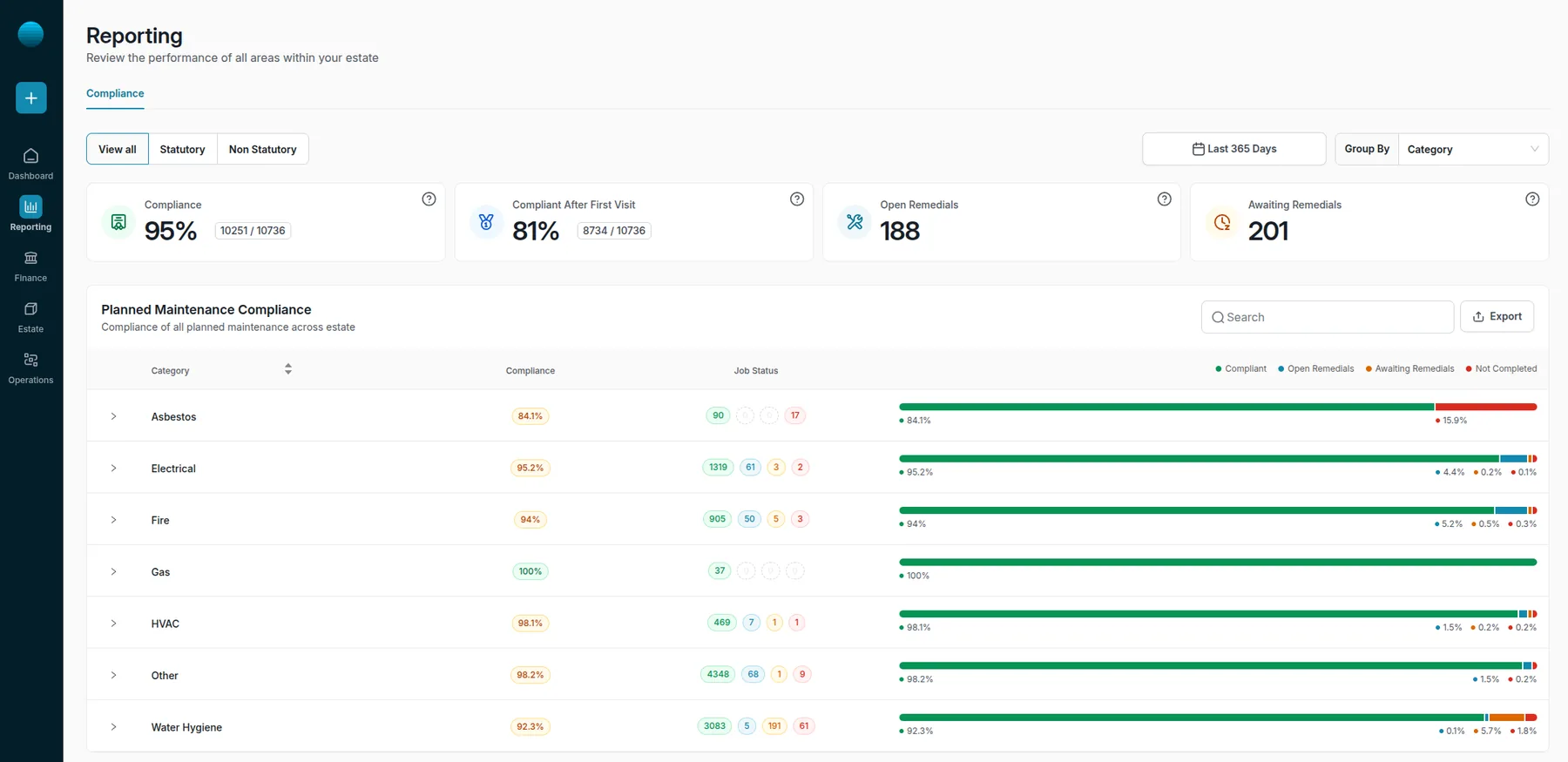
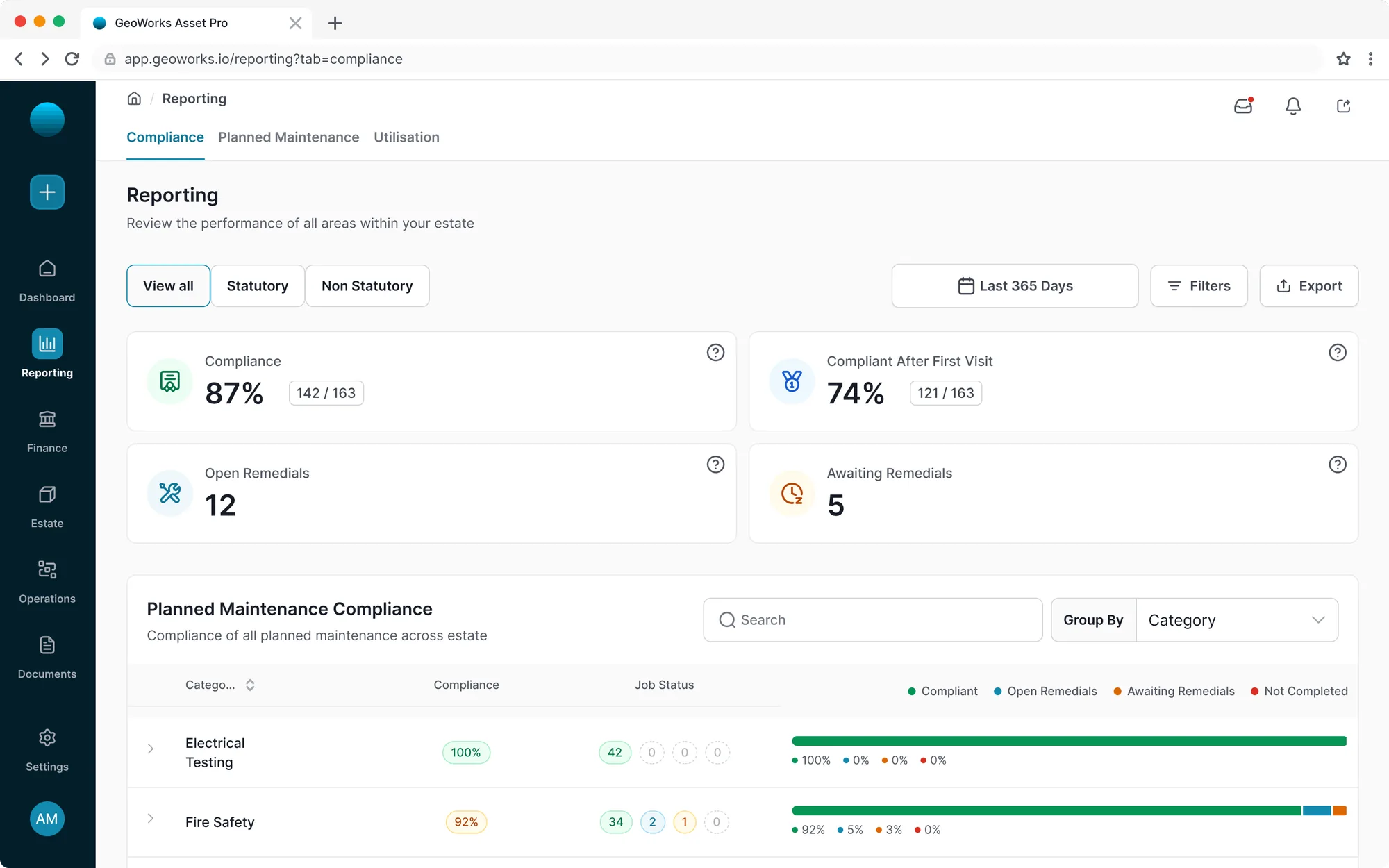
Live compliance by category, with remedials linked back to the original job.
- Assets
Asset register
Estate, site, location, installation and asset, each with its own history.
- Contractors
Supplier & operative management
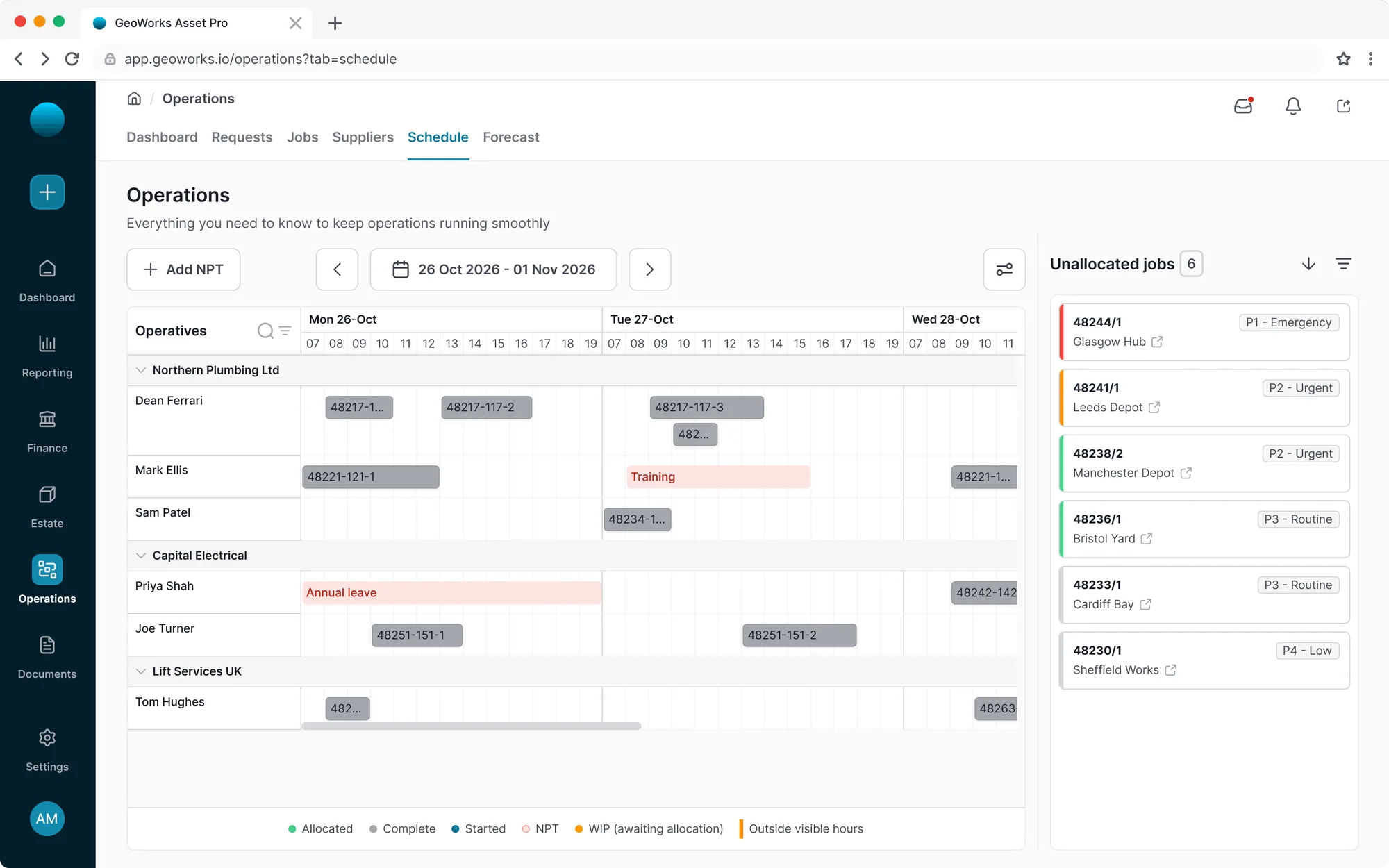
Preferred suppliers per site and service, and a visual resource planner.
- Finance
Costs & payments
ONTE budgets, quotes and audited applications for payment.
- Documents
Document management
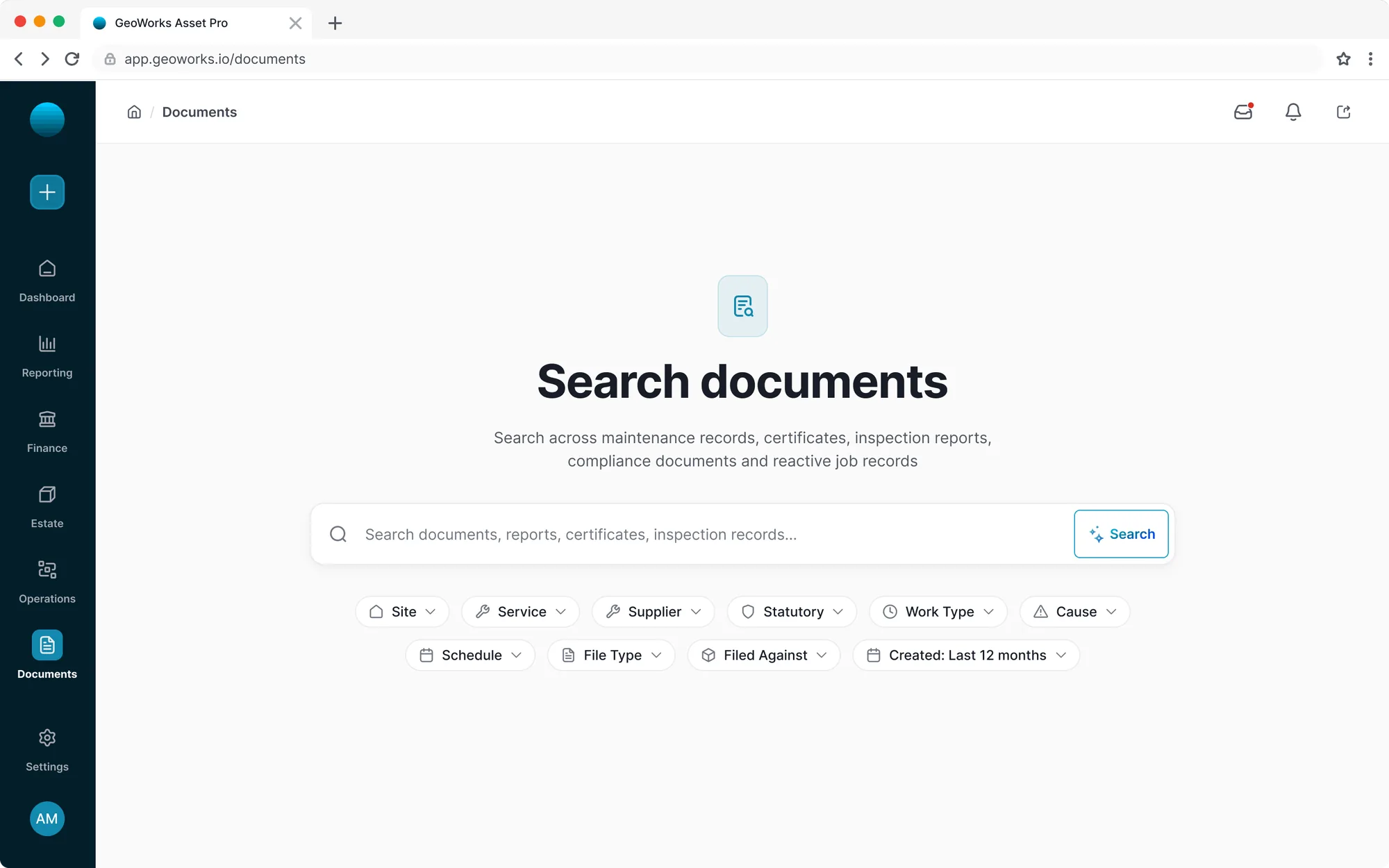
Certificates, drawings and reports filed against the estate, site, asset or job.
Where the time actually goes.
Most of the cost of running maintenance sits between the systems: re-keying, chasing and reconciling. Here is how the main approaches compare.
| Job to be done | Spreadsheets and inboxes | Typical CAFM | GeoWorks |
|---|---|---|---|
| Fault reporting | Calls and emails to whoever answers | A helpdesk screen for staff | Phone, email and a branded public form into one tagged queue |
| Contractor updates | Phone calls and email chains | Often re-keyed by the helpdesk | Suppliers accept, schedule and complete jobs in GeoWorks |
| Planned maintenance | A PPM spreadsheet someone remembers to check | Schedules, often released by hand | Schedules release and assign to the preferred supplier on their own |
| Statutory compliance | Certificates in shared drives | Compliance reports, sometimes a separate module | Live compliance by category, with remedials linked to the original job |
| Work on site | Paper job sheets | A mobile app that may need signal | An offline iOS and Android app with risk assessments, photos, tests and sign-off |
| Costs | Reconciled at month-end | Exported to finance | ONTE limits per job type and audited applications for payment |
See GeoWorks, screen by screen.
The real app, shown with sample data. Pick a screen, or let the tour play.
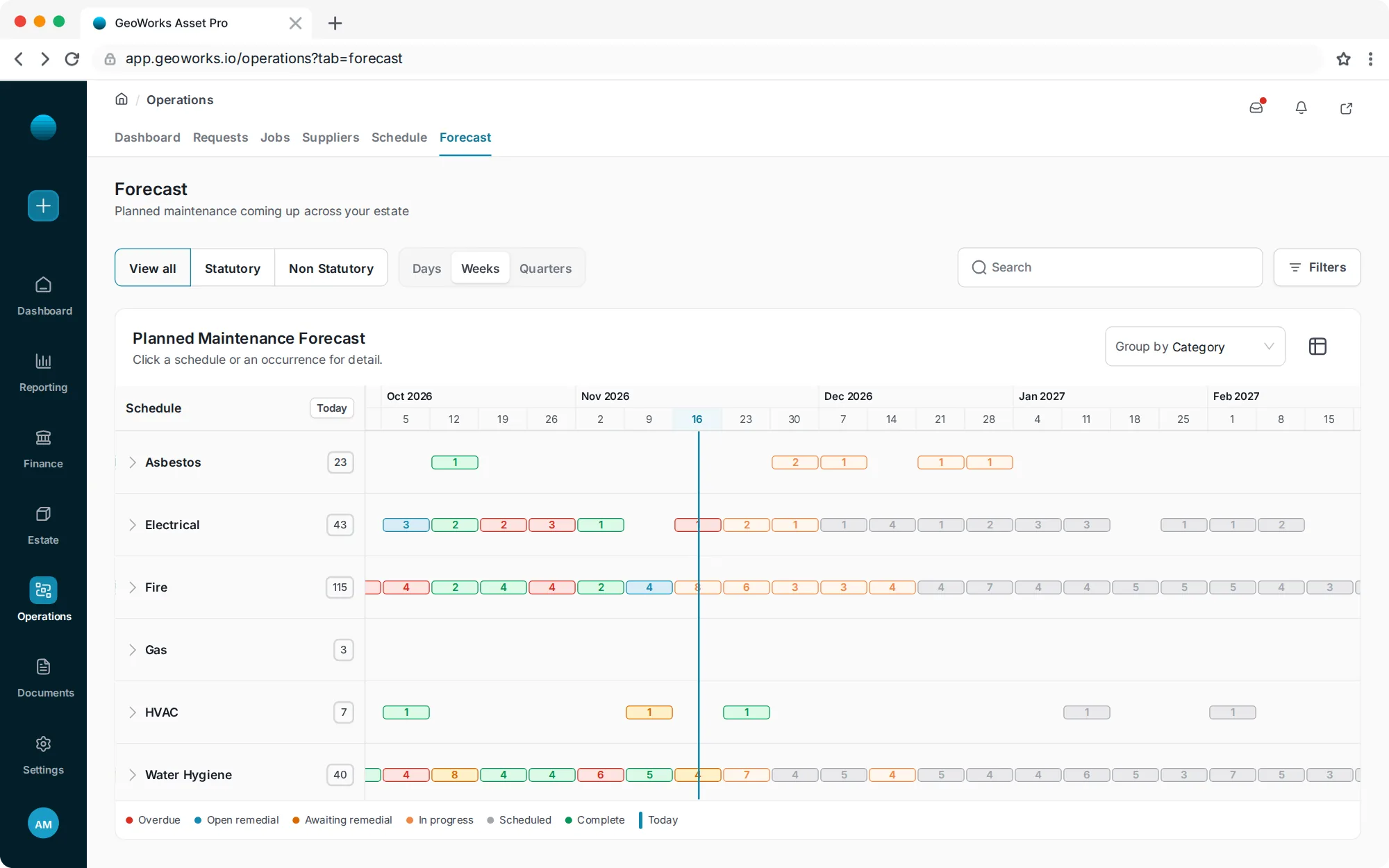
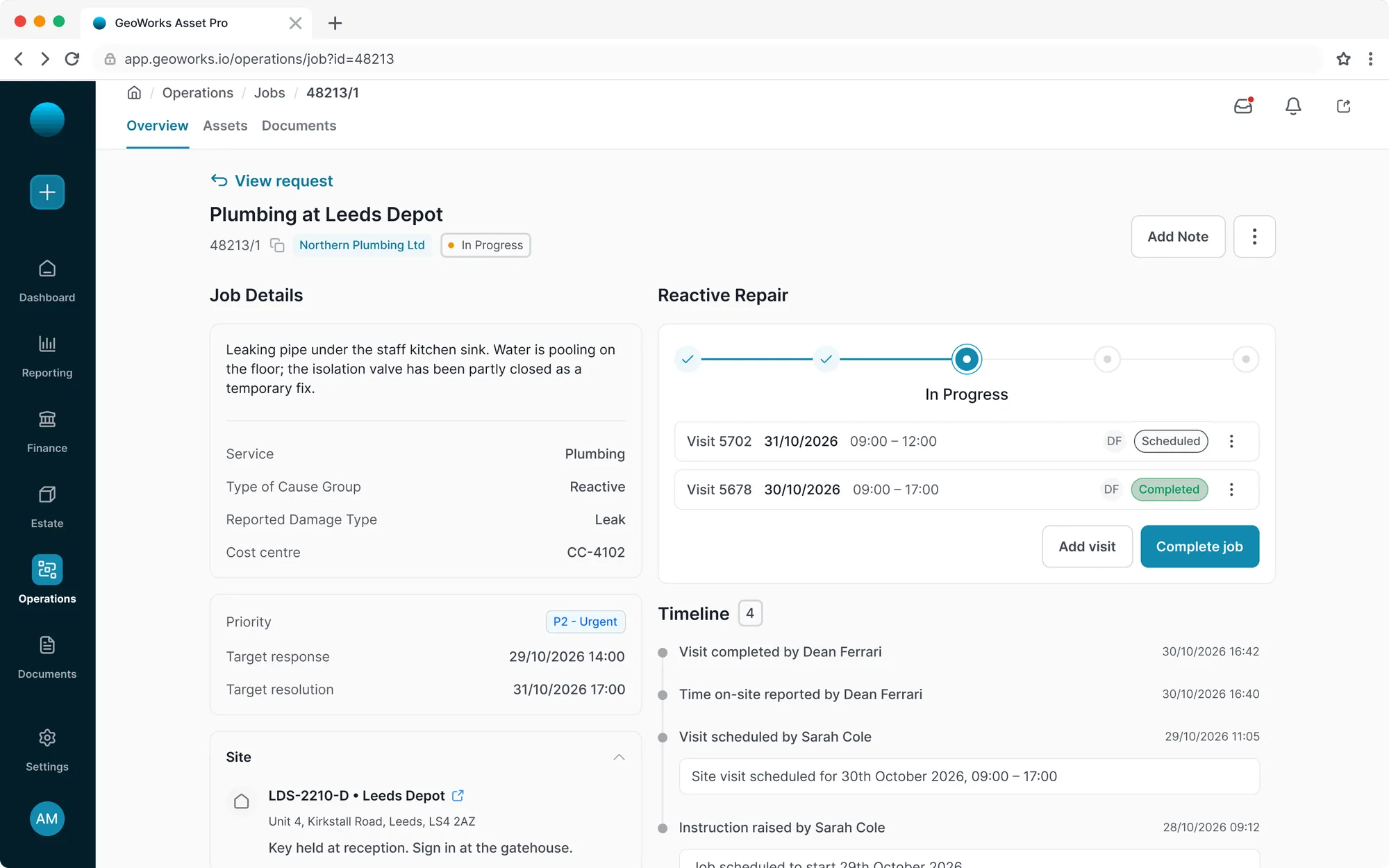
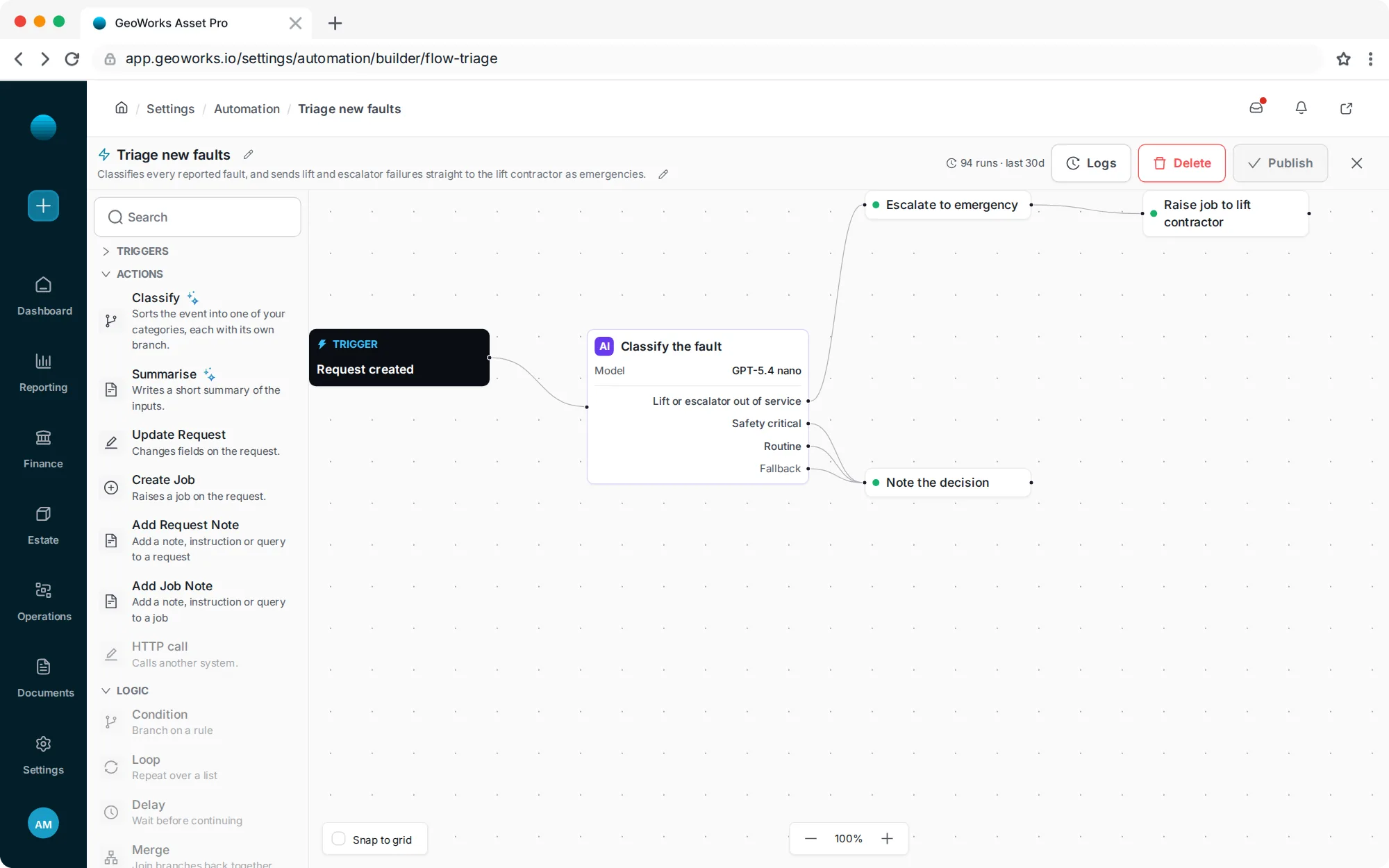
One queue. One register. One version of the truth.
Contractors work in it
Suppliers accept jobs, plan visits and apply for payment in GeoWorks, so status is never a phone call away.
Operatives work offline
The mobile app captures risk assessments, photos and sign-off with or without signal.
Finance sees it live
Every job carries its cost from the moment it is raised, so month-end is not a reconciliation exercise.
Built for the people who keep estates running.
GeoWorks gives each role the view it needs, from the same data.
Helpdesk and operations
One queue, fully tagged, with SLA clocks and the right supplier suggested for every site and service.
Compliance managers
Statutory categories filtered in seconds, exportable for audits and client reports.
Contractors and operatives
Clear jobs, a calendar, an offline app and a simple way to get paid.
Finance
Committed spend by supplier, service and site, and applications audited against budget.
Estate and senior leaders
Live performance across sites, regions and suppliers, without waiting for a monthly pack.
Six questions to ask every supplier.
Whichever system you choose, these are the questions that separate a CAFM system you live with from one you work around.
New to the terms? Start with what is CAFM software?, then CAFM vs CMMS. Comparing suppliers? See GeoWorks vs MRI Evolution and GeoWorks vs Joblogic.
- Contractors
Will our contractors work in it, or will we re-key their updates?
If suppliers can’t accept jobs, book visits and apply for payment in the system, your helpdesk becomes a data-entry team.
- Sites
Does it model our estate the way we run it?
Look for a hierarchy from estate to site, location and asset, so faults, PPM and compliance roll up the way you report them. See asset management.
- Compliance
Can we prove compliance on the day of an audit?
Ask to see statutory compliance by category, with certificates and remedials linked to the asset. See statutory compliance.
- Mobile
Does the app work where our assets are?
Plant rooms, basements, platforms and roadside cabinets lose signal. The app should work fully offline and sync later.
- Process
Can we change the workflow without a development project?
Stages, approval gates, priorities and SLAs should be configuration, not code. See workflow automation.
- Money
Is cost controlled before it’s committed?
Budgets per job type, quotes and audited applications for payment stop month-end surprises. See cost control.
See GeoWorks on your estate.
Tell us about your sites, assets and contractors. We’ll show you GeoWorks configured the way you work, and the pipeline we’d build with you during onboarding.
Prefer email? sales@geoworks.io
Thanks. Request received.
We’ll reply to you within one working day to find a time for your demo.
- We get in touchFrom sales@geoworks.io, to arrange a time that suits you.
- A 30-minute demoGeoWorks set up around your sites, assets and contractors.
- Your onboarding planThe pipeline we’d build with you, if GeoWorks is a fit.