Asset management software: A clear asset register, structured to suit your estate.
Jobs, schedules, documents, inspections and compliance records attach to the right asset, so every team sees the same version of the estate and every decision has history behind it.
From portfolio to the individual asset.
Every job and request links straight back to the asset it concerns, and engineers on site see only the assets relevant to their job.
- Estate
Portfolio or campus
Regions and groups of sites for reporting and access.
- Site
Top-level site object
Address, contacts, suppliers, documents and calendar.
- Location
Zones and areas
Floors, rooms, platforms or plant rooms.
- Installation
Systems and plant
Fire detection, HVAC, lighting circuits, lifts.
- Asset
Individual instance
Where jobs, requests, documents and history attach.
The right data on every asset, for compliance, planning and reporting.
A fire group, a fire alarm panel type and a specific panel on a specific site each carry exactly the attributes they need.
Asset type groups
Broad families such as fire, electrical, mechanical and lighting that drive statutory categories and reporting.
Asset types
Specific kinds of asset within a group, each with its own attribute set and maintenance regime.
Assets
The individual asset on a site: the thing jobs, requests, documents and history attach to.
Decide on evidence, not memory.
When everything that happens to an asset is recorded against it, repair-or-replace decisions and capital plans get easier.
Complete maintenance history
Every reactive repair, planned visit and remedial, with supplier, cost and outcome.
Documents where you need them
Certificates, manuals and reports attached to the asset, installation or site.
Condition and performance
Report on assets in poor condition and repeat failures across the estate.
Connected assets
With GeoSpaces sensors, a leak, humidity or plant alert raises a GeoWorks job against the right asset without anyone rekeying it.
Your estate, mapped and scheduled.
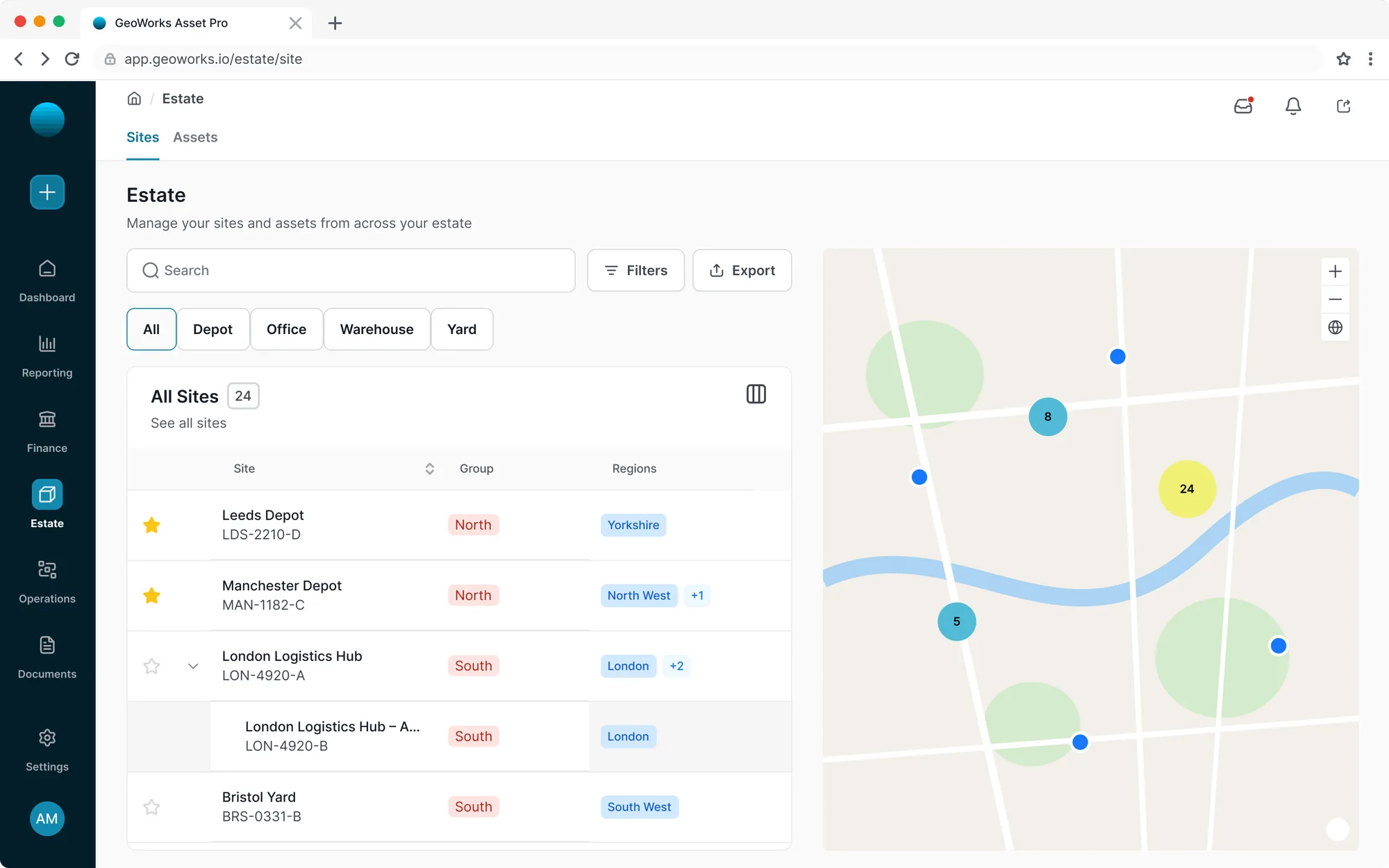
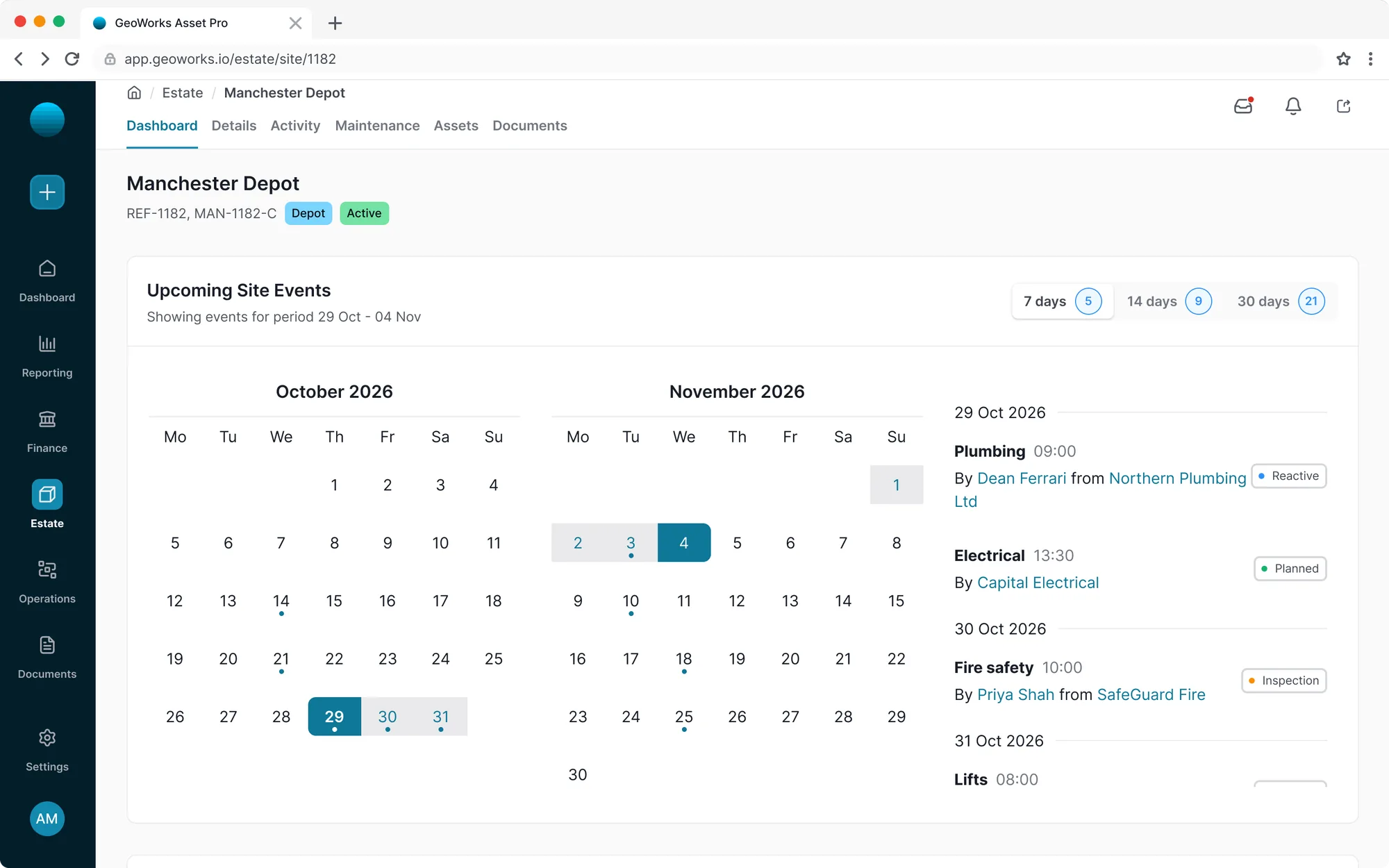
See GeoWorks on your estate.
Tell us about your sites, assets and contractors. We’ll show you GeoWorks configured the way you work, and the pipeline we’d build with you during onboarding.
Prefer email? sales@geoworks.io
Thanks. Request received.
We’ll reply to you within one working day to find a time for your demo.
- We get in touchFrom sales@geoworks.io, to arrange a time that suits you.
- A 30-minute demoGeoWorks set up around your sites, assets and contractors.
- Your onboarding planThe pipeline we’d build with you, if GeoWorks is a fit.